
Understand Evidence
Review participant sessions
Use the Responses table to review completed interviews, summaries, transcripts, and answers.
Sessions are completed participant conversations inside a study.
Open Responses to see the session table.
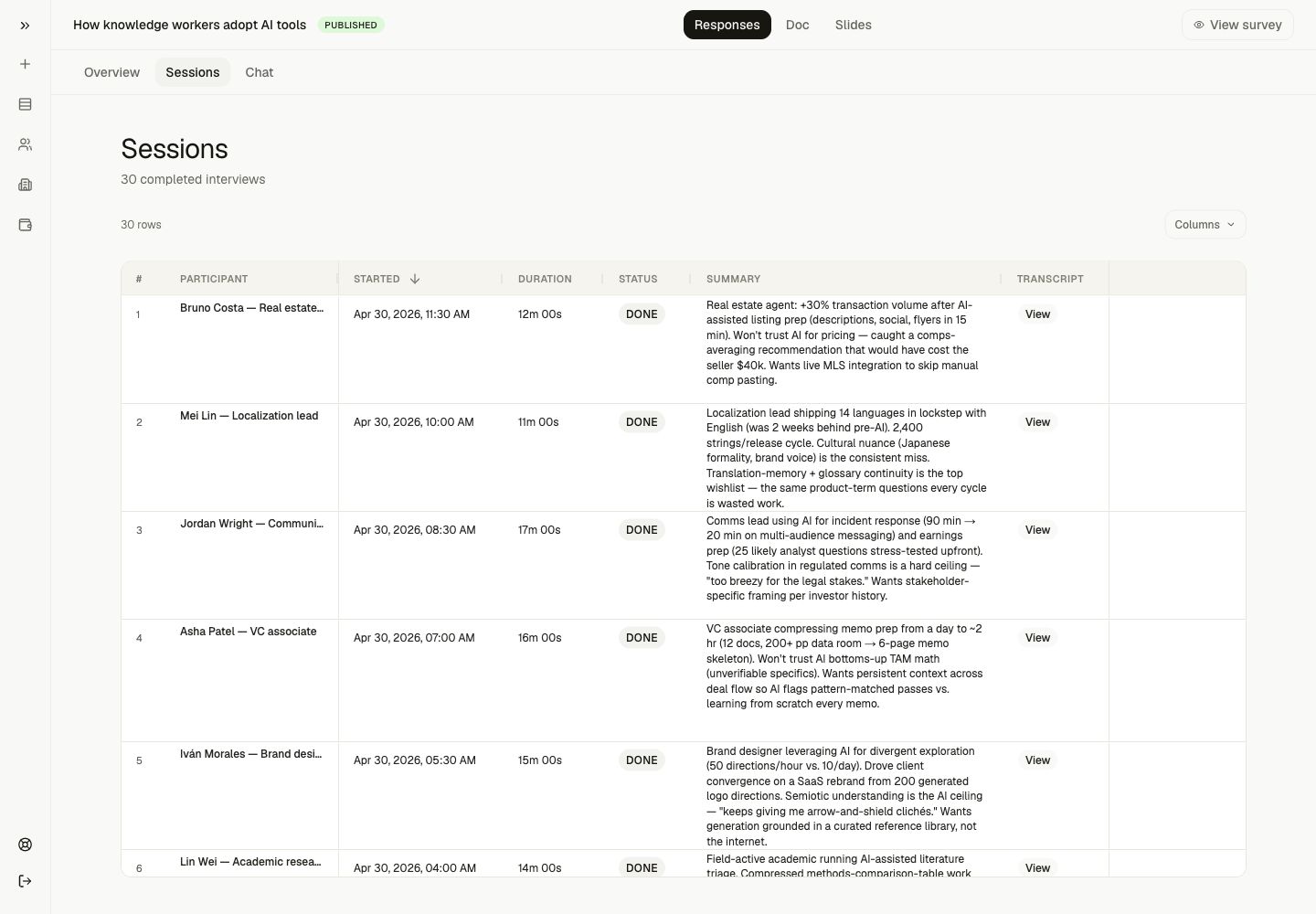
What the table shows
The example study table included:
- participant name and role
- started date
- duration
- status
- summary
- transcript link
- one column per interview question
- answer cells for each participant
When To Use It
Use the Responses table when you need to:
- scan all completed interviews
- compare participant answers
- find the transcript behind a summary
- see which questions created useful answers
- identify participants worth quoting or following up with
What good looks like
A useful session table does not only show raw answers. It helps you move between:
- structured comparison across participants
- individual session summaries
- source transcripts
- exact answers to specific prompts
Next step
Open a transcript to verify the source evidence.