
Use this path when Lemma already opens its normal navigation. If Lemma opens the five setup screens instead, follow Complete first-time onboarding.
You will reach one Mission with a known Sender, a small Lead set, a clear goal, and an explicit review boundary.
Prepare the Mission
Confirm the Sender
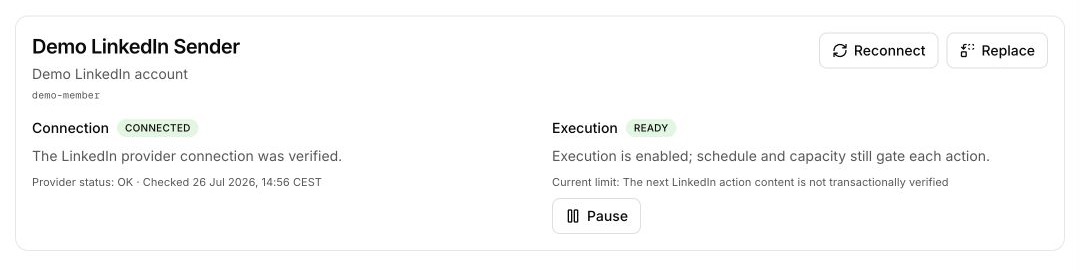
Open Settings → Sender. Confirm the LinkedIn identity, Ready state, active schedule, and effective limits.
A healthy connection normally becomes Ready after verification. If you see Dry run, choose Activate sending. If you see Paused, resume only after you understand why it stopped.
Add 5–10 Leads
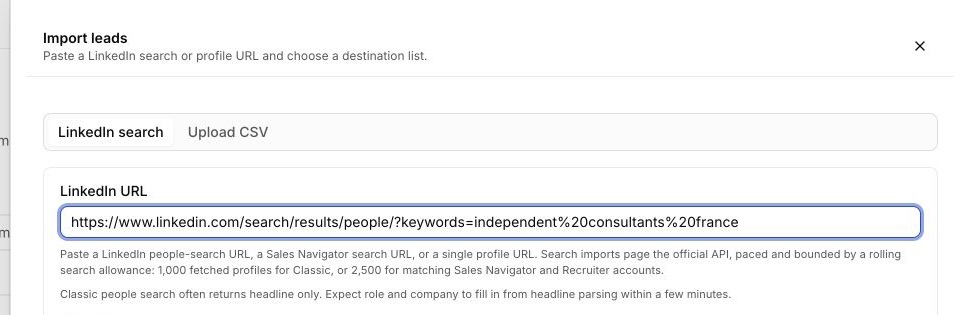
Open Leads and choose Add leads.
- Use LinkedIn search for a people-search, Sales Navigator search, or individual profile URL.
- Use Upload CSV for a spreadsheet with mapping and row review.
Create one focused Mission
Choose New Mission.
- Choose the Lemma-led path when you want Lemma to clarify the goal and prepare the plan with you.
- Choose Build manually only when you already have the exact audience, copy, timing, and active Sender.
State the goal and boundary
Include what you sell, who should care, the result you want, and claims or audiences Lemma must avoid.
We help independent design studios reduce unpaid project overruns. Reach studio founders in France who recently grew their team. Keep the first message concise and do not promise guaranteed savings.
For a Lemma-led Mission, keep Review approval selected while you inspect the first plan in the Mission conversation. For a Manual Mission, the wizard’s Review step is the binding check; Launch Mission commits the reviewed audience and queues approved work.
If preparation stops
- No Sender is available: connect or recover it under Settings → Sender.
- No Manual List is available: create a static List with a small first audience.
- A LinkedIn import is waiting: inspect its card under Recent imports.
- The Mission needs clarification: answer the focused request in its conversation.
Do not expand the audience yet. Continue to the first Sequence review.