
Use Smart Builder when you know the study goal but do not want to write every question from scratch.
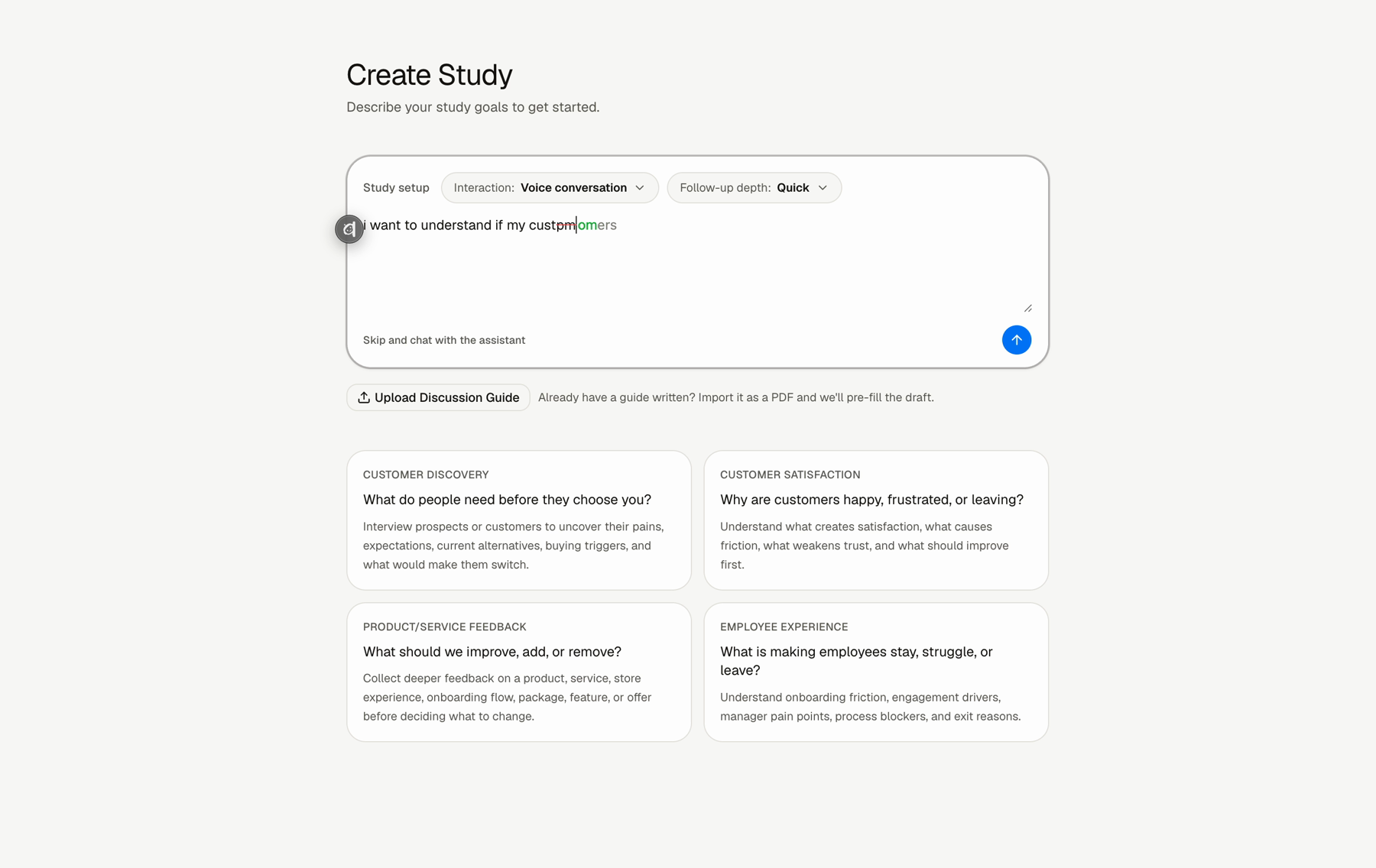
How To Use Smart Builder
Step 1: Open New Study
Click New Study from the sidebar.
Step 2: Choose the interaction format
Choose Text conversation or Voice conversation.
Step 3: Choose follow-up depth
Choose Quick pulse, Standard interview, or Deep dive.
Step 4: Add your brain dump
Describe the audience, what you want to learn, and any constraints. You can write this roughly.
Step 5: Review the draft
Review the generated study goal, background, tone, key terms, welcome message, closing message, and questions.
What To Include
- who should answer
- what you want to learn
- what context Lemma should know
- any terms, product names, team names, or acronyms
- what kind of follow-up would be useful
FAQs & Common Issues
Does the brain dump need to be polished?
No. It can be rough. Smart Builder is designed to turn messy context into a usable draft.
What happens after Smart Builder drafts the study?
Review the generated context and questions. Then edit anything that feels too generic or too broad.
Should I add key terms?
Add proper nouns, product names, team names, or acronyms that Lemma should recognize.