
Templates help you start faster when your study matches a common workflow.
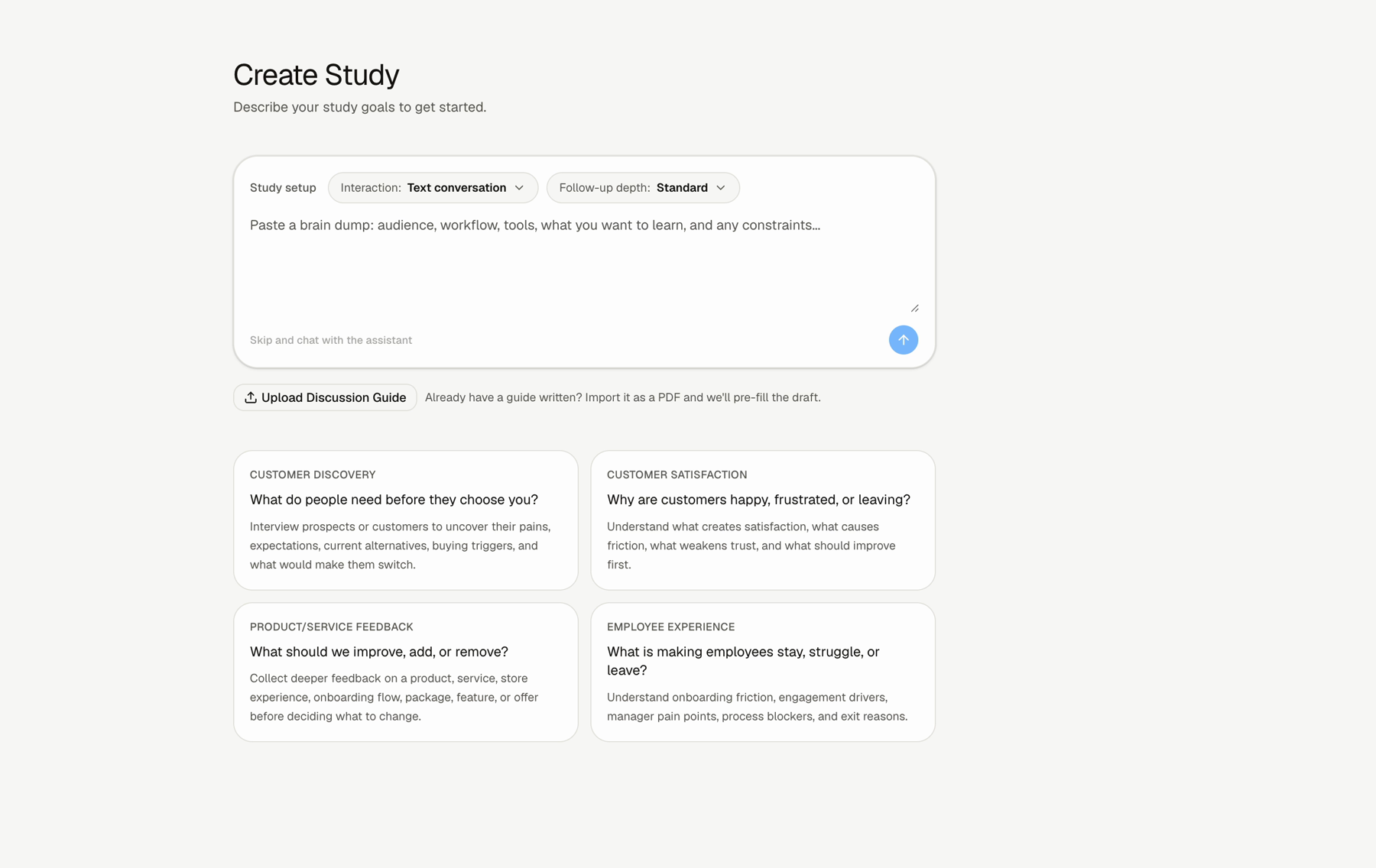
How To Start From A Template
Step 1: Open New Study
Start from the New Study screen.
Step 2: Review the available templates
Choose the template that is closest to your study goal.
Step 3: Customize the draft
After choosing a template, review the context, tone, questions, and follow-up settings.
Available Templates
The observed templates are:
- Customer Discovery: use this to learn what people need before they choose you.
- Customer Satisfaction: use this to learn why customers are happy, frustrated, or leaving.
- Product/Service Feedback: use this to learn what to improve, add, or remove.
- Employee Experience: use this to learn what is making employees stay, struggle, or leave.
FAQs & Common Issues
Should I use a template or Smart Builder?
Use a template when the workflow matches your goal. Use Smart Builder when your context is more specific or less structured.
Do templates create a final study?
No. Treat a template as a starting point. Review the draft before using it.
Can I still change follow-up depth after choosing a template?
Review the study settings and question-level follow-ups before using the study.