
Each study can use a text conversation or a voice conversation. Choose the format before reviewing the questions.
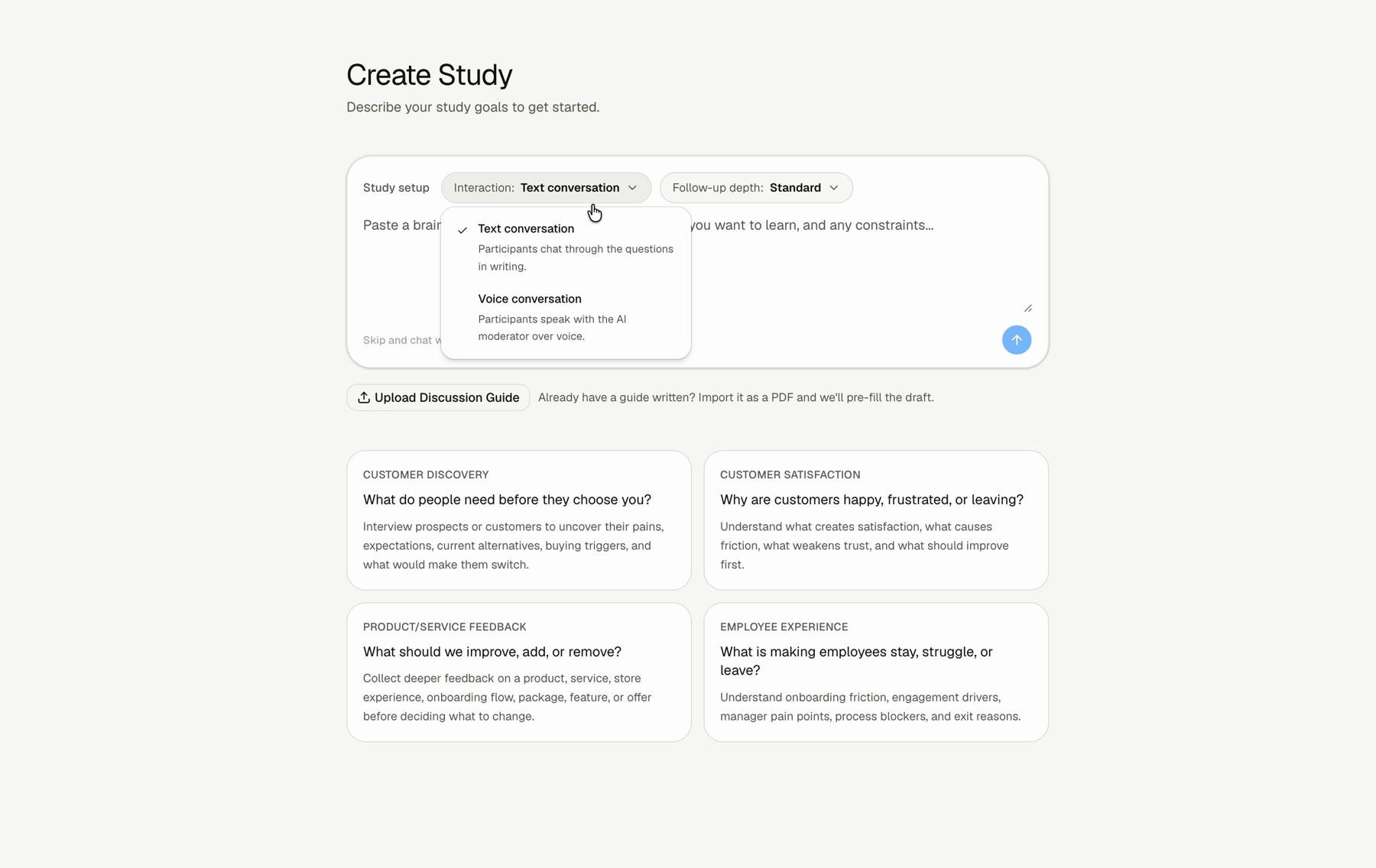
How To Choose The Format
Step 1: Open New Study
Start from the New Study screen.
Step 2: Open the interaction menu
Use the Interaction control.
Step 3: Choose Text conversation or Voice conversation
Choose the format that fits the participant and the kind of answer you need.
When To Use Voice
Use Voice conversation when spoken detail matters. Voice is useful for stories, examples, hesitation, emotion, or longer answers.
When To Use Text
Use Text conversation when participants need a quieter written path or when voice is not the right fit for the audience.
FAQs & Common Issues
Does voice change the study setup?
You still review the same core pieces: context, questions, follow-up depth, and instructions.
Can text studies still be adaptive?
Yes. Text studies can still use follow-up questions.
Should every study use voice?
No. Choose the format that makes it easiest for participants to give useful answers.