
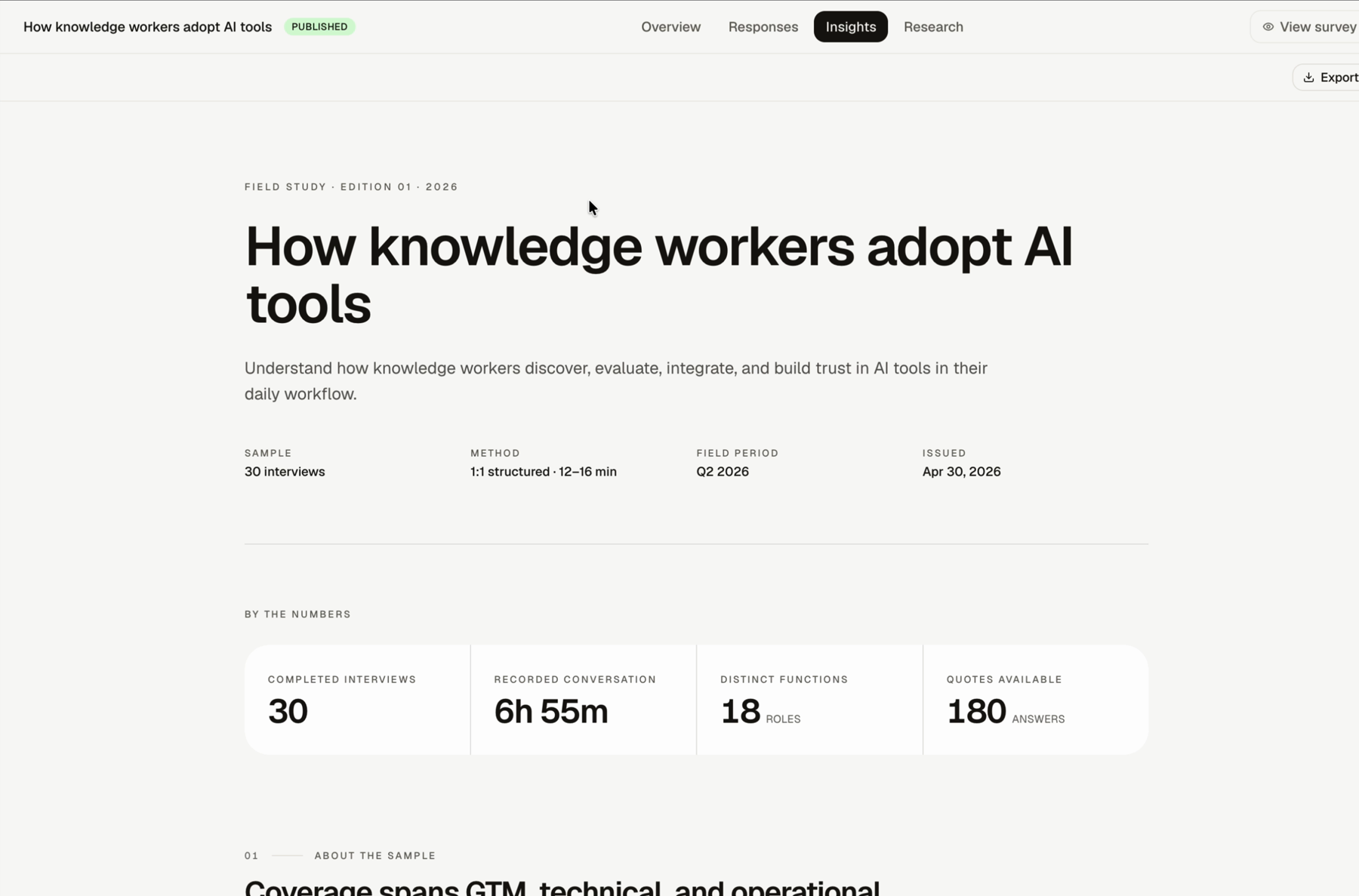
Insights is the report-style view for a study. Use it to review sample details, key numbers, findings, exhibits, and quotes.
How To Read Insights
Step 1: Open the study
Open the study from the Studies dashboard.
Step 2: Open Insights
Use the Insights tab.
Step 3: Check the study metadata
Review the sample, method, field period, and issued date.
Step 4: Review the numbers
Use the "By the numbers" area to understand the size and shape of the study.
Step 5: Read findings with the evidence in mind
Use highlighted quotes and transcripts to verify important claims.
What Insights Can Show
- sample information
- method and field period
- completed interviews or sessions
- recorded conversation time
- participant roles or functions
- findings
- exhibits or charts
- highlighted quotes
FAQs & Common Issues
Should I treat Insights as final truth?
Treat it as synthesis. Verify important findings against Responses and transcripts.
What should I check first?
Check the sample and method before reading the findings.
Where should I ask follow-up questions about the synthesis?
Use Research.