
Open the Mission’s first Sequence under Outbox → Open. Keep the first audience small enough that you can inspect every row.
You will know exactly what is prepared for one Lead, whether the current revision is acceptable, and what validation changes.
Review one Lead end to end
Confirm the Lead and Mission
Check that the person belongs in the intended audience and that the Sequence belongs to the expected Mission. Stop and correct the audience before editing copy if either is wrong.
Inspect every unsent touch
Read the message, invitation note, and follow-ups in order. Check:
- accuracy and relevance;
- claims and promises;
- tone and personalization;
- the spacing between eligible touches;
- anything the brief said to avoid.
Edit the active revision
For an eligible Lemma-authored Sequence, you can edit, add, or remove unsent touches; re-anchor the eligible pre-send chain while preserving its spacing; and set priority for its eligible pre-send tasks.
Validate only when it is ready
Choose Validate sequence to approve and freeze the active Sequence revision for that prospect. Batch validate applies the same decision to a selection, so use it only after the sample represents the rest of the audience.
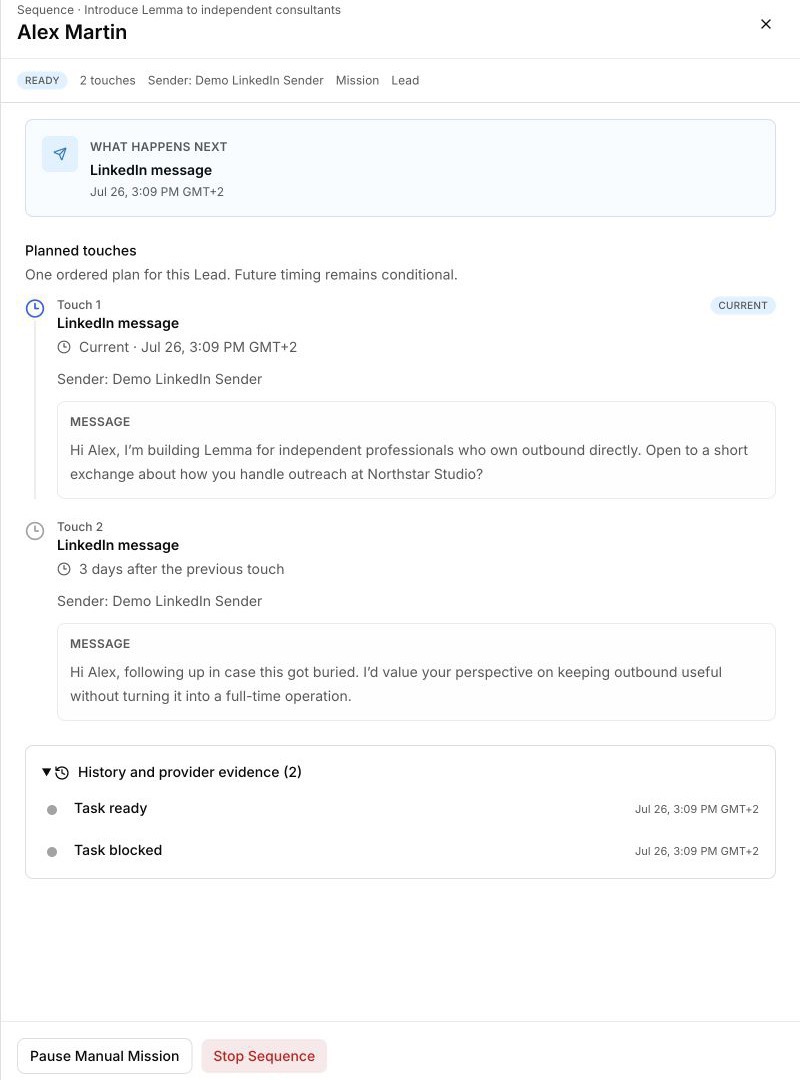
Validation approves the active revision. It does not prove that LinkedIn accepted a message or invitation. Sender conditions, timing, Mission state, and other execution checks still apply.
If the Sequence cannot progress
Open Outbox → Open → Problems and follow the action that is actually available. Do not retry an ambiguous external action until Sequence history or provider evidence makes the outcome clear.